

Trenvar Workforce for Android
The phone-first surface for the people who do the work
Receiving scans, putaway, picking, pack verify, proof-of-delivery, and driver dispatch on Android. Offline-capable. Real-time sync. Built so the floor never has to talk to a laptop.
- Android 8.0+
- Scan + POD
- Offline-capable
- Background dispatch
What it does
Every job a floor operator runs in a day
One app for receiving clerks, pickers, packers, and drivers. Each role sees only the surfaces their permissions allow.
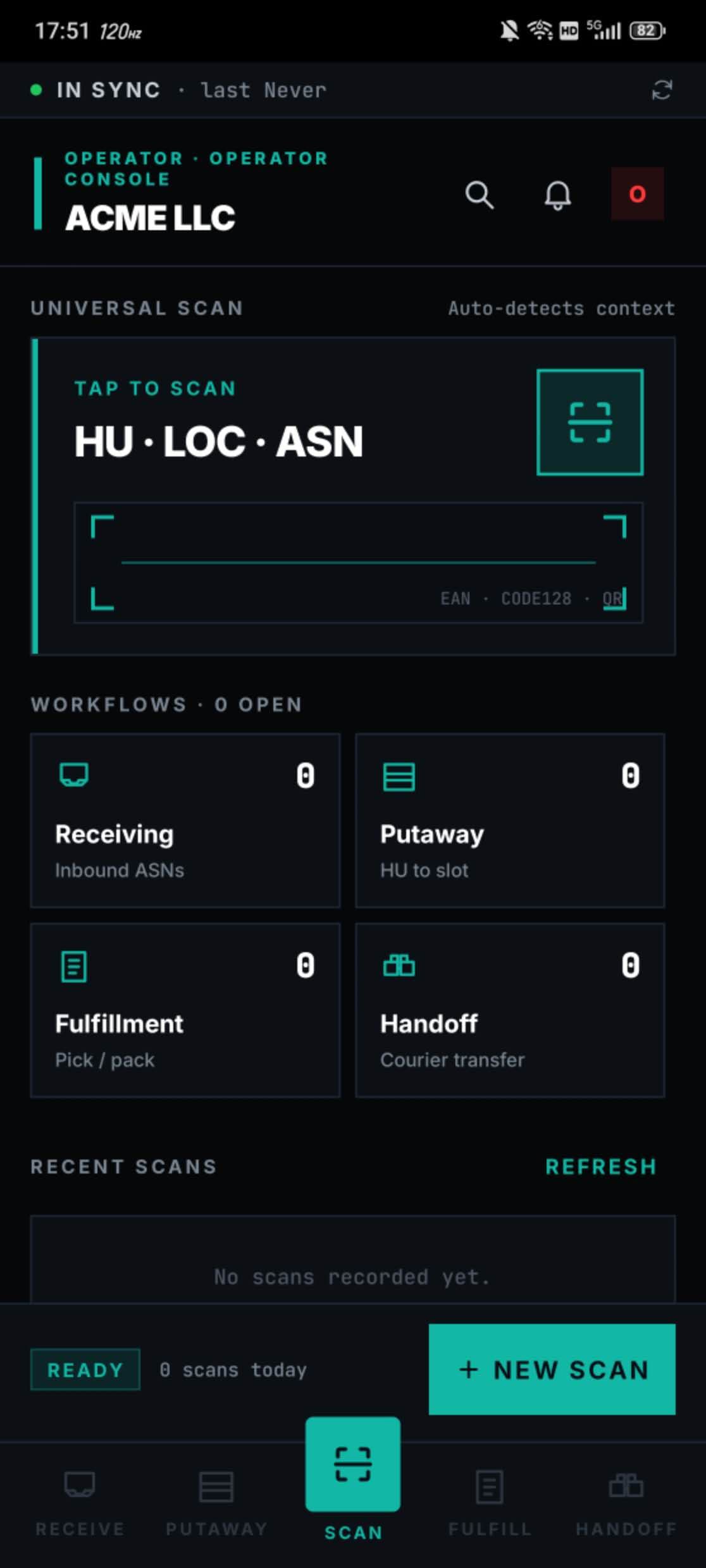
Scan-first receiving and picking
Barcode and QR scanning drives receiving, putaway, pick lists, and pack verify. The camera is the keyboard — no typing PO numbers, no transposed SKUs.
Pack verify before it leaves the floor
Confirm contents at the pack station with a final scan against the order. Mismatches are caught before the carton goes out the door, not after a chargeback.
Proof-of-delivery with photo + signature
Drivers capture the customer signature and a delivery photo at the doorstep. GPS coordinates are attached automatically. POD becomes a defensible record, not a paper slip.
Driver route stack
Drivers see their assigned stops in dispatch order. Tap into a stop for address, contact, instructions, and the order detail. One swipe to mark complete.
Background location for active runs
Foreground service location tracking keeps dispatch oversight live while drivers are en route. The app respects Android background-location permissions and prompts deliberately.
Offline-capable
Scans and pack confirms are buffered locally if connectivity drops. The moment the phone reconnects, events flush in the order they happened — no lost work.
See it on the floor
Real screens, not mockups.
Receiving operators and drivers see these exact surfaces in production today.
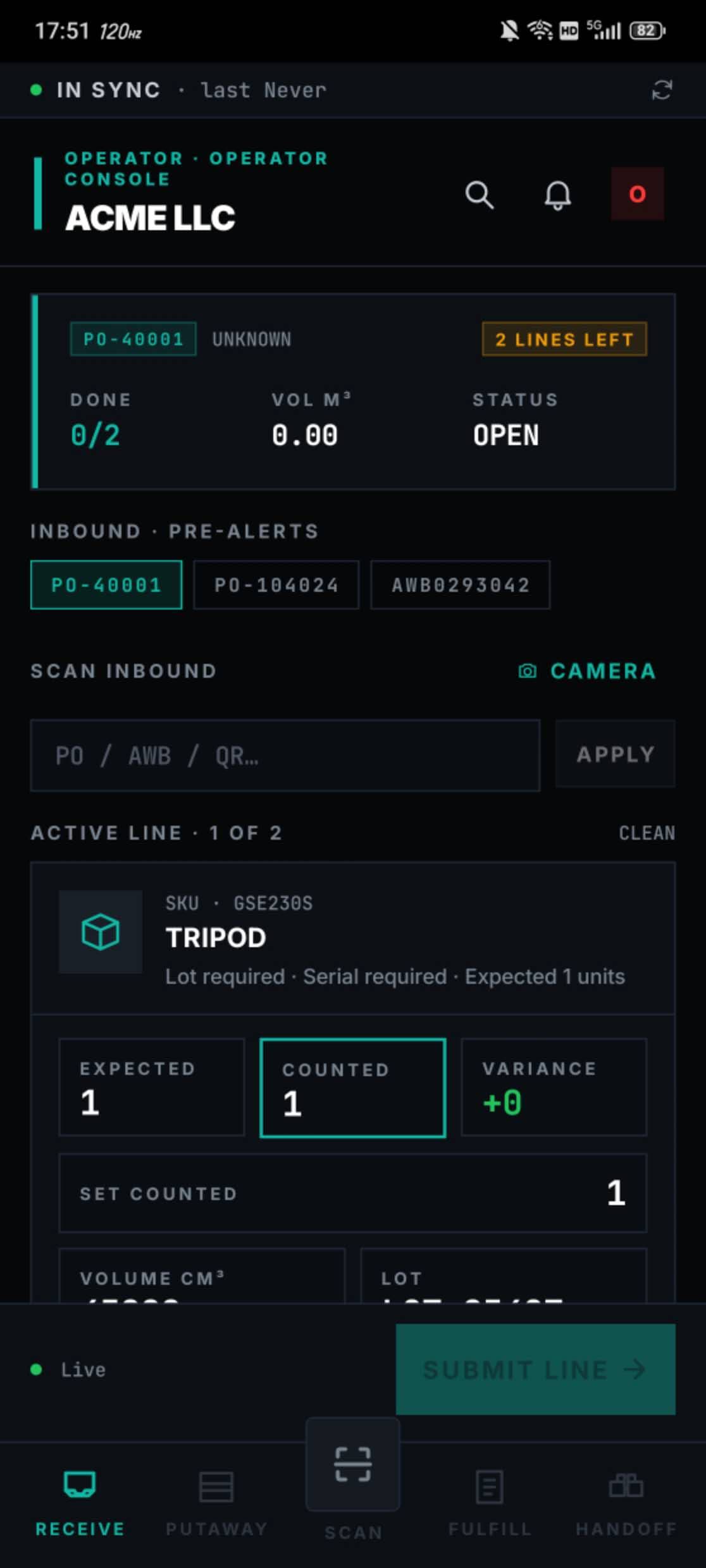
Receiving — scan, count, submit
Active PO at the top, pre-alerts one tap away, expected vs counted variance front-and-centre, and a single Submit Line action to close the count.
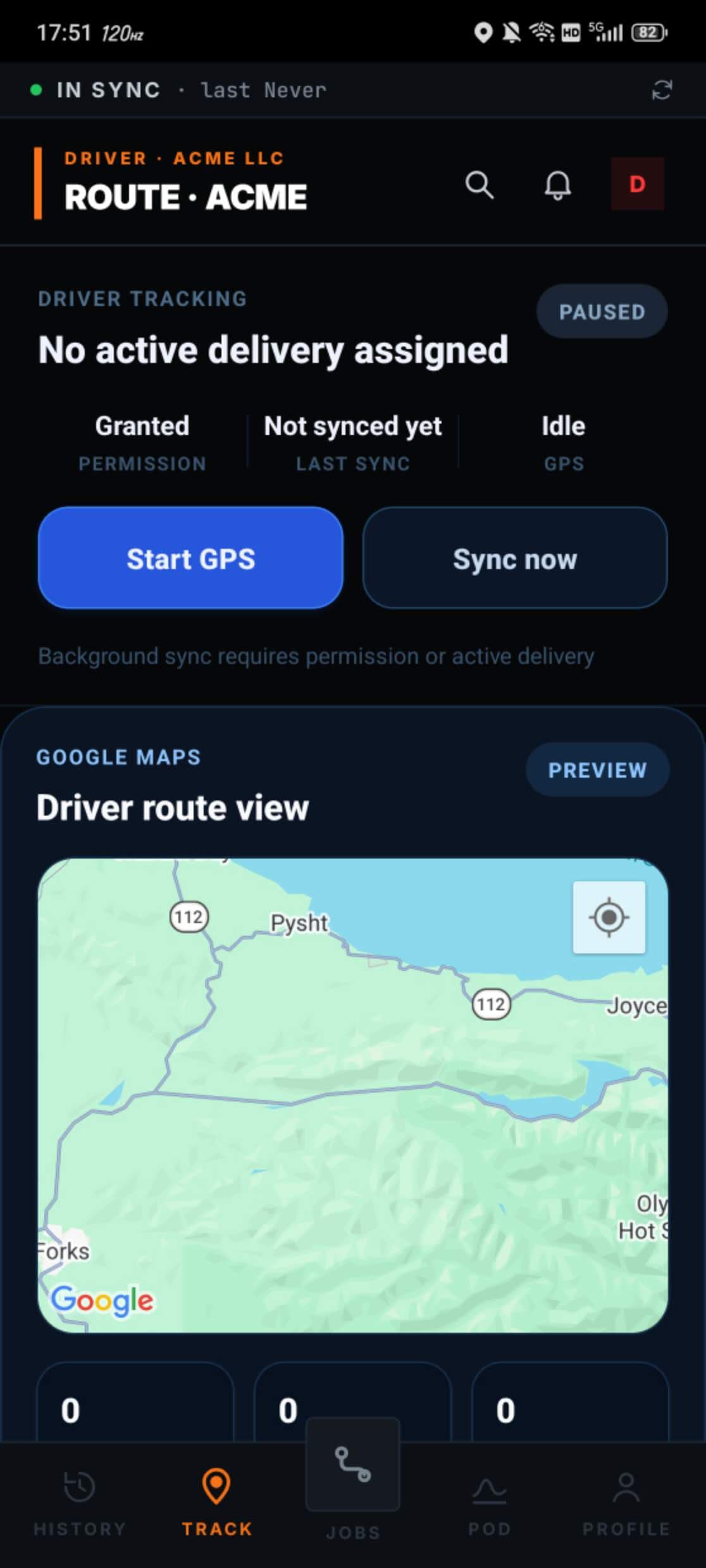
Driver tracking on a real map
Permission state, sync state, and the live route view in one screen — drivers know if the system is watching, and dispatchers know where they are.
Trenvar Workforce
v1.6.1Put scan and POD on every phone on your floor
Hand a phone, install the APK, and your team is in. Permissions, role gating, and dispatch context come from the same workspace they already log into.
No credit card required · Go live in under 48 hours