SOLUTIONS

We've seen your problem before. Here's how teams solve it.

Real operational pain points — and the exact Trenvar OS that fixes each one. Find the story that sounds like yours.

Product preview

Every logistics team has the same frustration: tools that don't talk to each other.

The fix isn't another integration. It's one system that handles execution, visibility, and billing from the same operational layer.

Find Your Scenario

What problem are you trying to solve?

Each story below starts with a real pain point. See if it matches yours — then see how the right OS resolves it.

Warehouse Operations

Your team loses hours a day on manual receiving and inventory guesswork

Paper-based receiving, disconnected putaway, and inventory counts that never match reality. Sound familiar? Warehouse OS replaces fragmented workflows with one structured execution layer — from dock door to shelf.

Before

  • Receiving logged on paper or spreadsheets
  • Putaway locations decided ad-hoc
  • Inventory counts drift within days
  • Fulfillment errors caught at dispatch

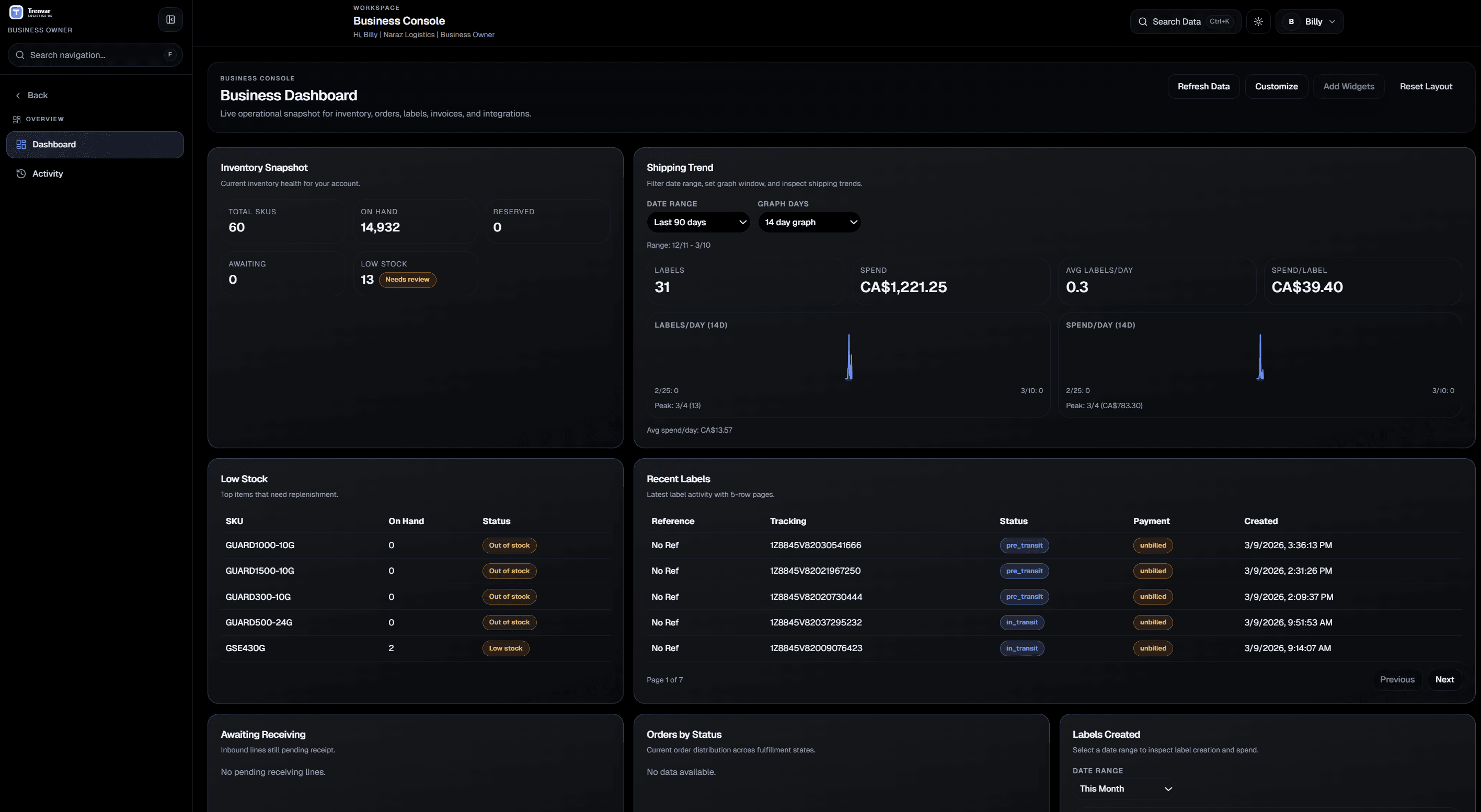
After — Warehouse OS

  • Scan-assisted receiving with expected-vs-actual checks
  • Rule-based putaway into approved locations
  • Real-time location-level inventory accuracy
  • Pick-pack-ship with inline error prevention
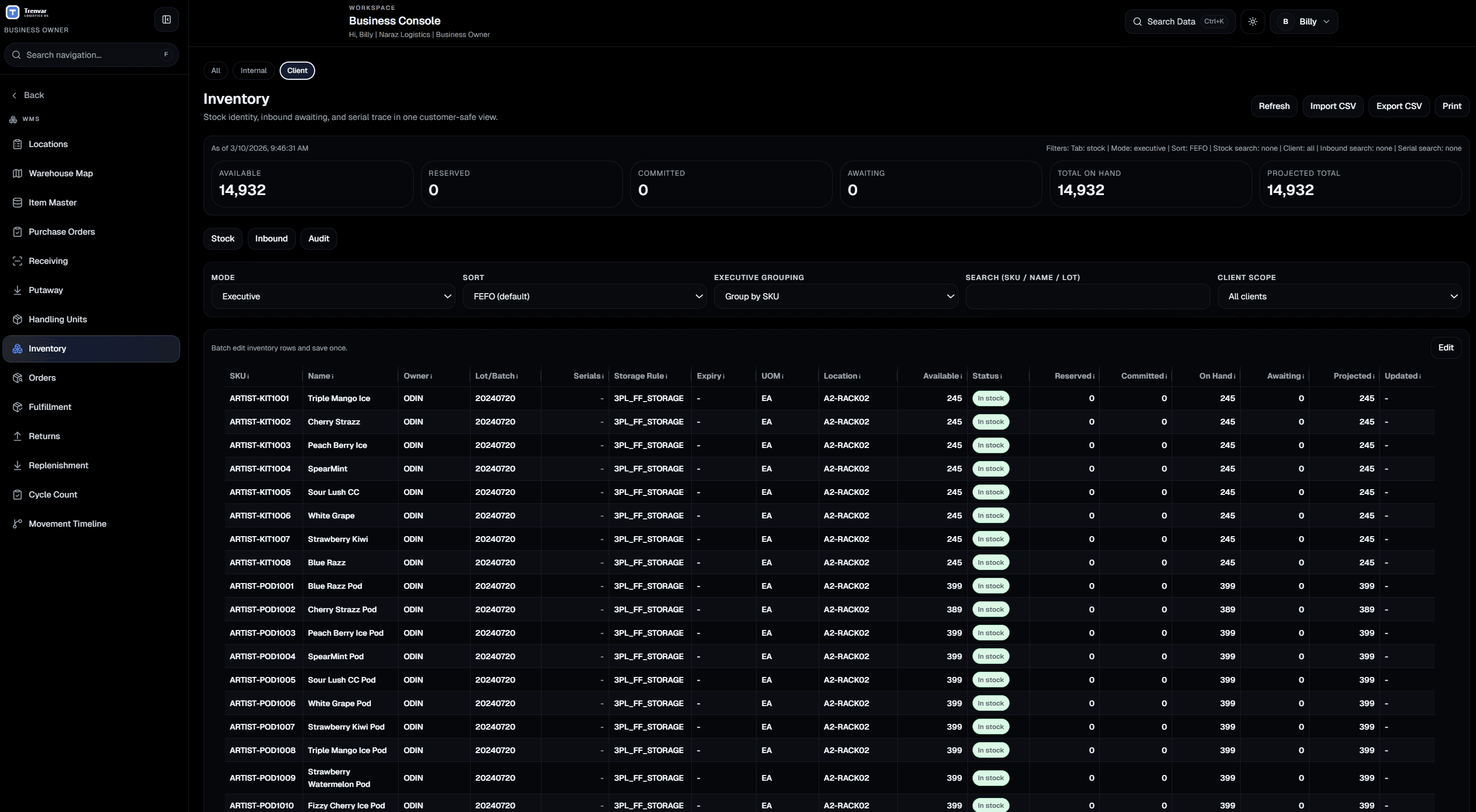
Warehouse OS interface

3PL Operations

You're juggling multiple clients on spreadsheets and billing is always behind

Managing client-owned inventory across shared warehouse space while trying to bill accurately from events that happen on the floor. 3PL OS gives you customer-level isolation, event-backed billing, and one view across all clients.

Before

  • Client inventory tracked in separate spreadsheets
  • Storage billing calculated manually at month-end
  • No clear client-level operational visibility
  • Invoice disputes from missing or inaccurate data

After — 3PL OS

  • Customer-segmented inventory with ownership boundaries
  • Automatic storage and service charge accrual
  • Per-client dashboards with real-time operational data
  • Invoice-ready records backed by timestamped events
3PL OS interface

Transport & Delivery

Your dispatchers can't see what left the warehouse and drivers operate in a black box

Dispatch runs on phone calls, route status lives in a group chat, and proof-of-delivery is a photo sent to the wrong thread. Transport OS links warehouse output to dispatch assignment, live route tracking, and structured POD capture.

Before

  • Dispatch assignments made over phone/WhatsApp
  • No visibility into route progress after handoff
  • POD captured inconsistently or not at all
  • Delivery exceptions discovered hours later

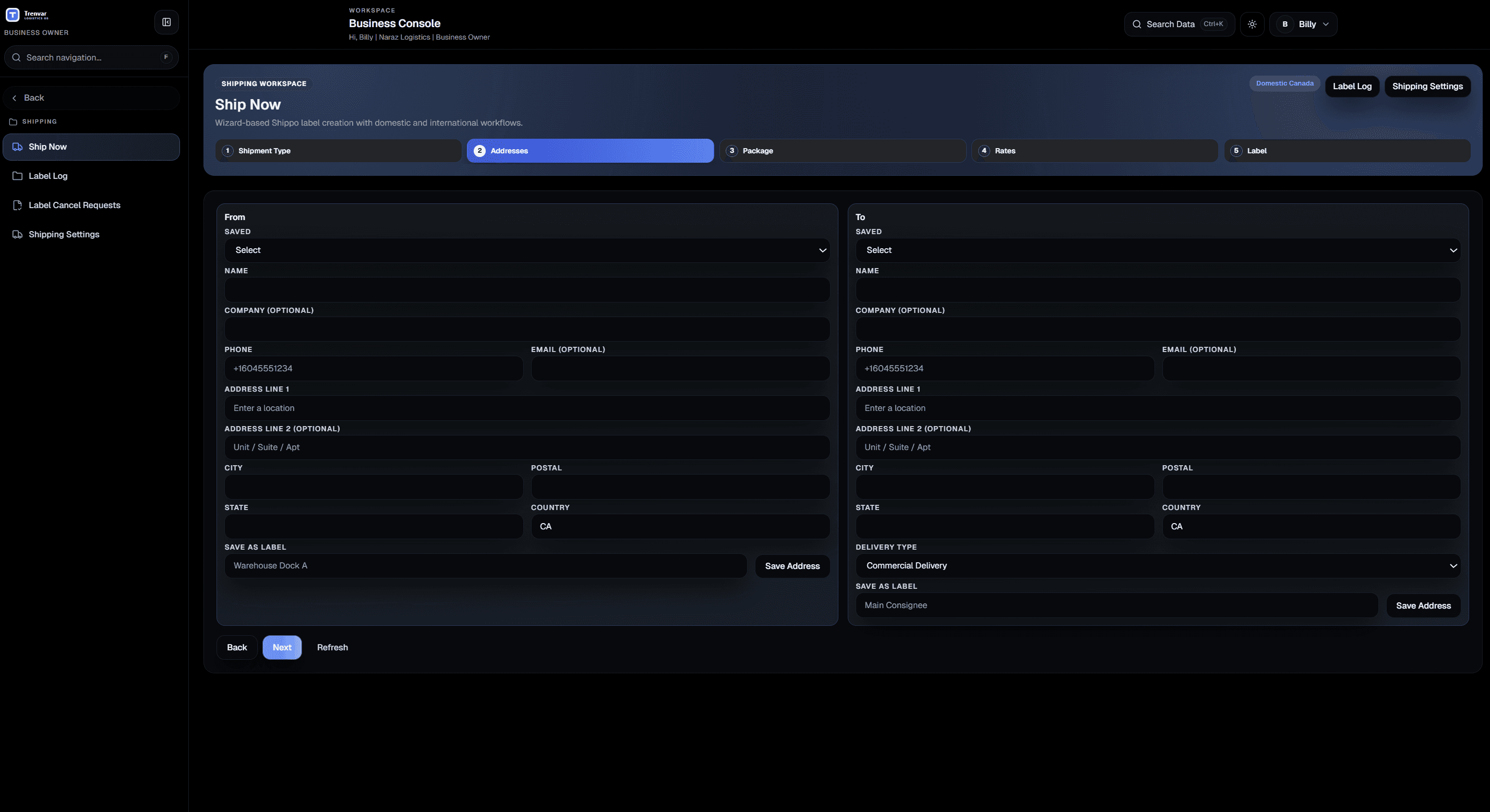
After — Transport OS

  • Structured dispatch with driver assignment controls
  • Live route status from assignment to completion
  • Mandatory POD capture with photo and signature
  • Exception alerts linked back to the originating order
Transport OS interface

Air Cargo & Ground Handling

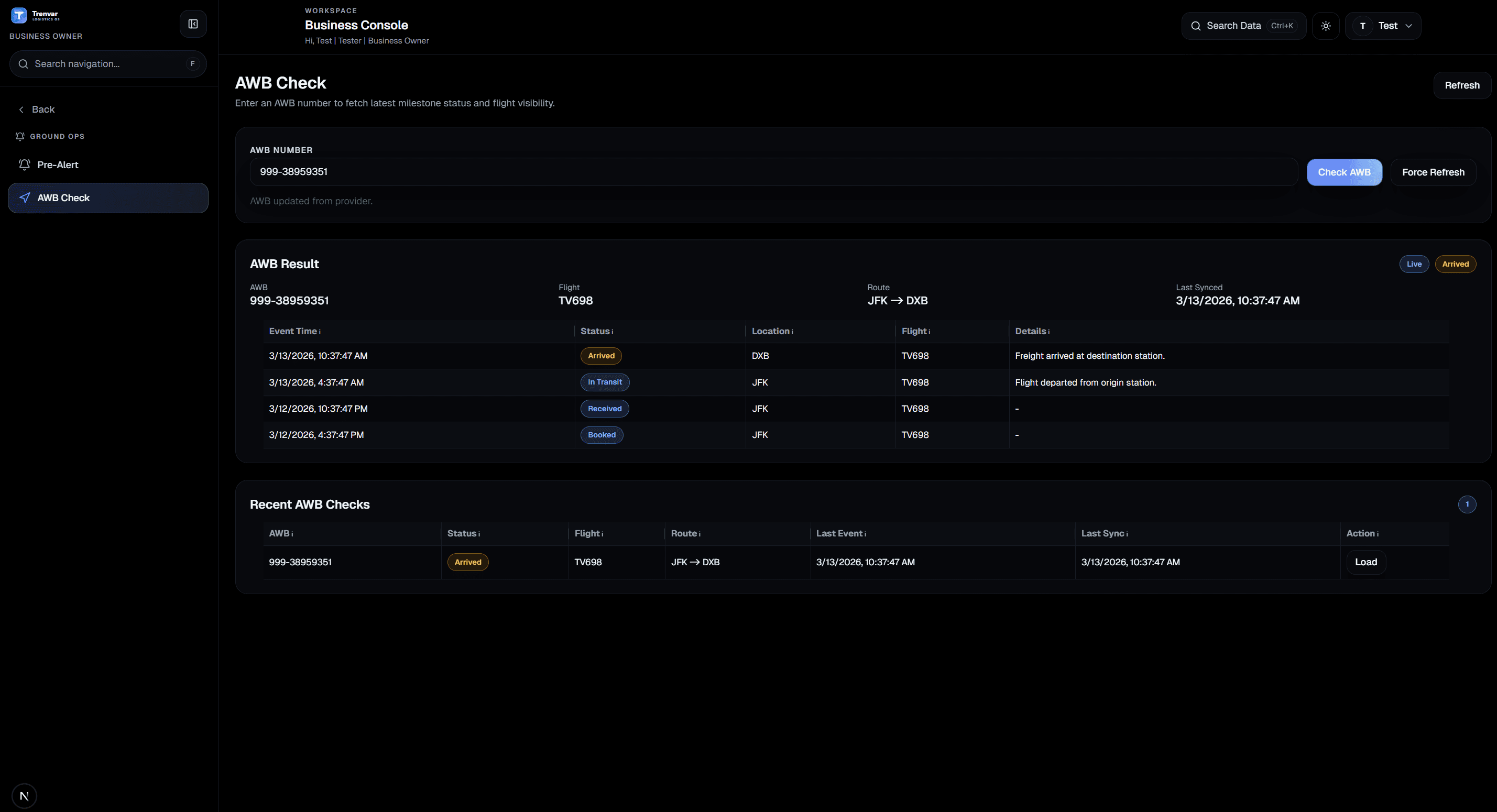
You're tracking AWBs across four disconnected systems with no single timeline

Pre-alerts arrive by email, handoff milestones get logged in different tools, and customers call for status updates you can't answer. Air Cargo OS gives your ground handling team one timeline from intake through handoff and billing.

Before

  • Pre-alerts scattered across email and messaging
  • Handoff milestones tracked in disconnected tools
  • No unified AWB status timeline for customer queries
  • Billing disconnected from actual cargo events

After — Air Cargo OS

  • Structured pre-alert intake and cargo receiving
  • Milestone timeline with every handoff logged
  • Live AWB status visible to operators and customers
  • Event-backed billing from cargo handling activity
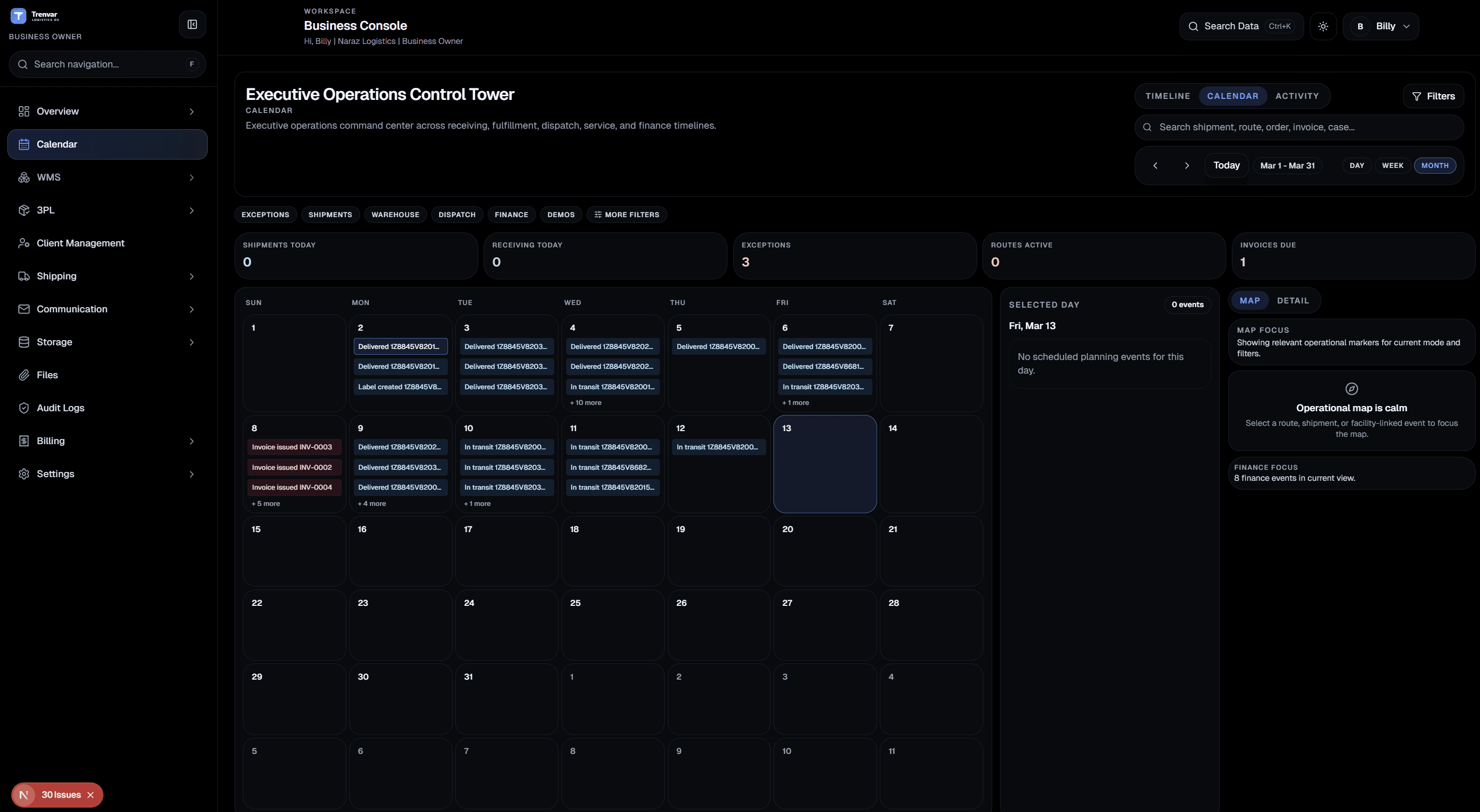
Air Cargo OS interface

B2B Commerce

Your sales team closes deals but the handoff to operations is a mess

CRM records don't connect to warehouse execution. Buyer onboarding is manual. Order intake lives in email. Commerce OS connects account activation, buyer ordering, and catalog governance to your operational core.

Before

  • Closed-won accounts re-entered manually into ops systems
  • Buyer onboarding takes days of back-and-forth
  • Orders arrive via email and get keyed in by hand
  • No buyer-facing portal for order history or invoices

After — Commerce OS

  • Account-to-activation handoff without re-entry
  • Self-service buyer profile and catalog access
  • Buyer ordering portal linked to warehouse execution
  • Invoice and payment visibility through controlled portal
Commerce OS interface

Implementation Approach

Go live in phases, not one big bang

Start with your highest-impact workflow and expand as each team stabilizes.

  1. Step 01

    Map your current pain points

    We identify the workflows causing the most friction — receiving errors, billing delays, dispatch blind spots — and prioritize them.

  2. Step 02

    Launch your highest-impact workflow first

    Go live with the OS that solves your biggest problem. Most teams see results within the first week.

  3. Step 03Final

    Expand as each team stabilizes

    Add adjacent OS packages — transport after warehouse, billing after inventory — in controlled phases, not a big bang.

From Teams Like Yours

How operations leaders describe the shift

We went from three spreadsheets and a WhatsApp group to one system for receiving, dispatch, and billing. The first week alone eliminated two hours of daily reconciliation.

Amira Hassan

Warehouse Manager · Delta Logistics

1/3

Solutions FAQ

Common questions from operations teams

That's common. Most teams start with one OS and add adjacent packages as they stabilize. The OS packages are designed to work together — Transport extends Warehouse, 3PL extends inventory, Commerce extends CRM.

Most teams go live with their first workflow within a week. The phased approach means you see value immediately rather than waiting for a full platform rollout.

Not necessarily. Trenvar can run alongside existing tools during transition. Many teams start by replacing the most painful workflow first, then gradually consolidate.

Yes. Single-site pilots are the most common starting point. Once the team is comfortable, you can expand to additional facilities, clients, or workflow areas.

Which story sounds like yours?

Tell us about the workflow that's causing the most friction. We'll map it to the right OS and show you exactly how it works.