0%
Data Isolation
Every workspace fully isolated by default
SECURITY
From the moment you sign in, your data is isolated, your team's access is controlled, and every action is logged. Here's how Trenvar keeps your workspace secure.

0%
Data Isolation
Every workspace fully isolated by default
Role-based
Access Control
Granular permissions across every module
Every Action
Audit Coverage
Timestamped, filterable, always available
TLS + AES
Encryption
In transit and at rest, always on
Security isn't a feature we added. It's how the platform was built.
Every layer of Trenvar — from data storage to API access to billing — was designed with isolation, auditability, and role-safe controls from day one.
Core Protections
Every workspace is fully isolated. No other tenant can read, write, or even discover your data — enforced on every single request.

Assign roles to your team and your customers. Each person only sees the modules and actions their role allows.

Defense in Depth
These aren't optional settings you need to configure. They're active from day one, protecting your data, your team, and your customers.
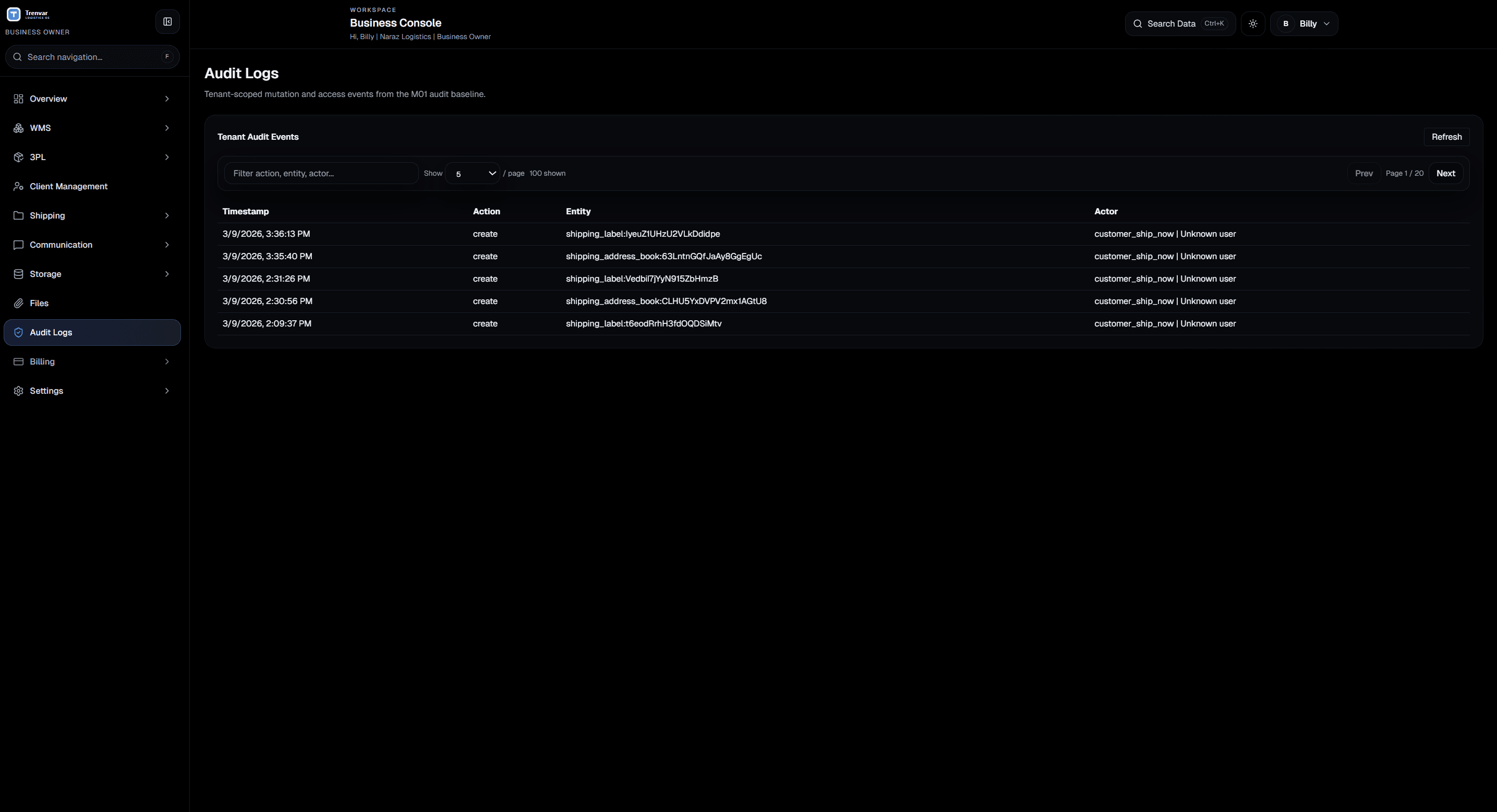
Need to know who changed an inventory record, who approved an invoice, or when a credential was rotated? The audit trail has it — timestamped, filterable, and always available.
When you connect external systems, your credentials are scoped to your workspace. Secrets are shown once at creation, and you can rotate or revoke them any time.
Destructive operations like deleting records or modifying billing require server-side checks before they execute. No one can bypass them — not even admins skipping the UI.
Trusted by Operations Teams
From warehouse operators to 3PL finance teams, security is the foundation they build on.
Knowing every action is logged and every workspace is isolated gives us confidence to onboard new customers without worrying about data leaks.
Sarah Chen
Operations Director | Pacific Logistics Co.
Role-based access was critical for us. Our warehouse staff, billing team, and customers all see exactly what they need — nothing more.
James Okafor
IT Manager | Apex Fulfillment
The audit trail has saved us twice during compliance reviews. We could show exactly who did what and when — no guesswork.
Maria Gonzalez
Compliance Lead | Summit 3PL
Audit Logs
Every critical action in your workspace is recorded with the user, timestamp, entity, and action type. Use it to resolve disputes, run compliance checks, or just keep your team accountable.

Security FAQ
No. Every workspace is fully isolated. Data access is scoped to your account on every request — there are no shared-tenancy data paths between workspaces.
Yes. Customer-role users are restricted by default. They can only access what you explicitly allow — they cannot view billing data, admin settings, or other customers' information.
All critical actions — inventory changes, billing events, role assignments, credential rotations, and admin operations. Each entry includes who performed it, the timestamp, the affected entity, and relevant context.
You can revoke their access immediately. Any API credentials they created can be rotated or revoked independently. Their past actions remain in the audit trail for accountability.
Yes. All data is encrypted in transit via TLS and at rest using provider-managed encryption. Your workspace data is logically isolated and never co-mingled with other accounts.
Our team can walk you through the security model and answer any questions about how your workspace, data, and users are kept safe.