

Trenvar Admin for Android
Run your operation from your pocket
A mobile control surface for the people running an operation. Approvals, dispatch oversight, billing visibility, and quick scan tools — built for when you are not at a laptop and the operation still needs you.
- Android 8.0+
- Approvals
- Dispatch map
- Billing view
What it does
The admin work that should not require a desk
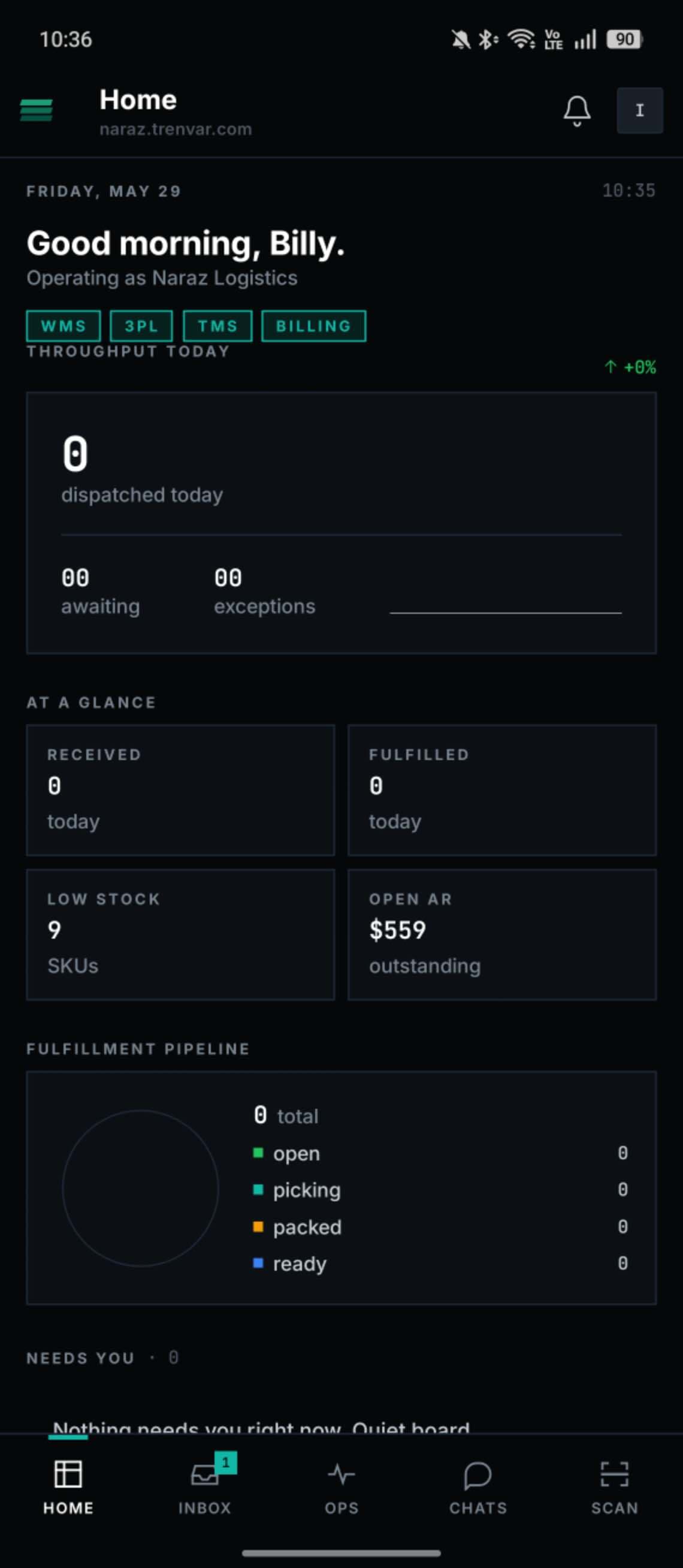
Trenvar Admin is not a stripped-down dashboard. It is the slice of operations work that has to happen wherever you are — designed mobile-first.
Approve from anywhere
The approvals that block work — credit limits, exception charges, dispatch overrides — sit one tap away. Approve in the queue at lunch, not at your desk at 7pm.
Live operational snapshot
Today's inbound, today's dispatched, today's outstanding. A read-only board that loads instantly so you can answer the question before you walk into the meeting.
Dispatch oversight on a map
See active drivers, route progress, and stuck stops on a live map. Tap a driver to pull up their stack. Tap a stop to see the order behind it.
Scan tools for quick lookups
Scan a carton, a pallet, or a tracking label and the app jumps straight to the underlying record. Faster than navigating to it through the web console.
Billing visibility, scoped to your operation
See revenue accrual, outstanding invoices, and the day's billed events. Everything you'd open the billing page for, scoped to the role you actually have.
Push notifications for what matters
Approvals waiting on you, failed auto-charges, dispatch stuck for more than X minutes. The notification load is tunable, not firehose.
See it on the phone
Real screens, not mockups.
Every screen below is from a working production install. No Figma comps, no edited renders.
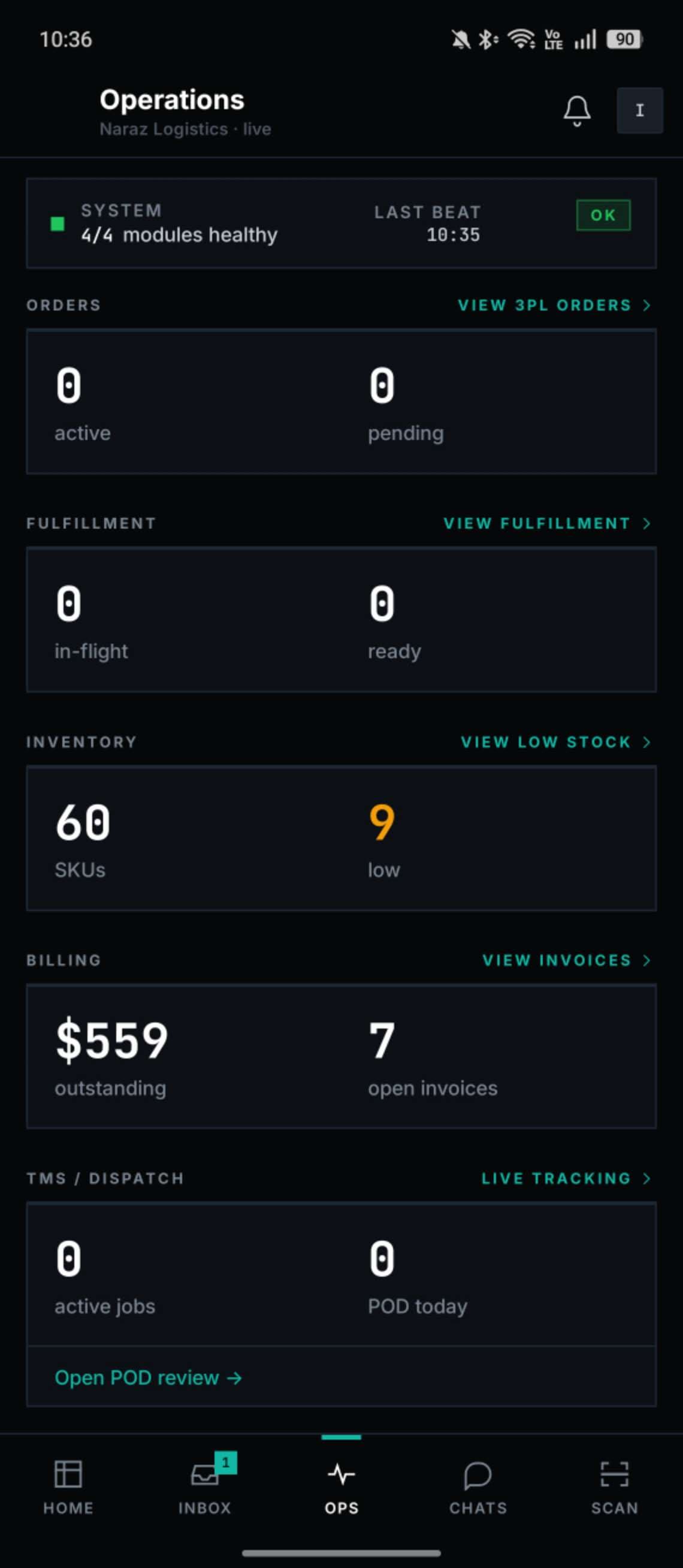
Every key number, one scroll
System health, orders, inventory, billing, and dispatch — without flipping tabs.
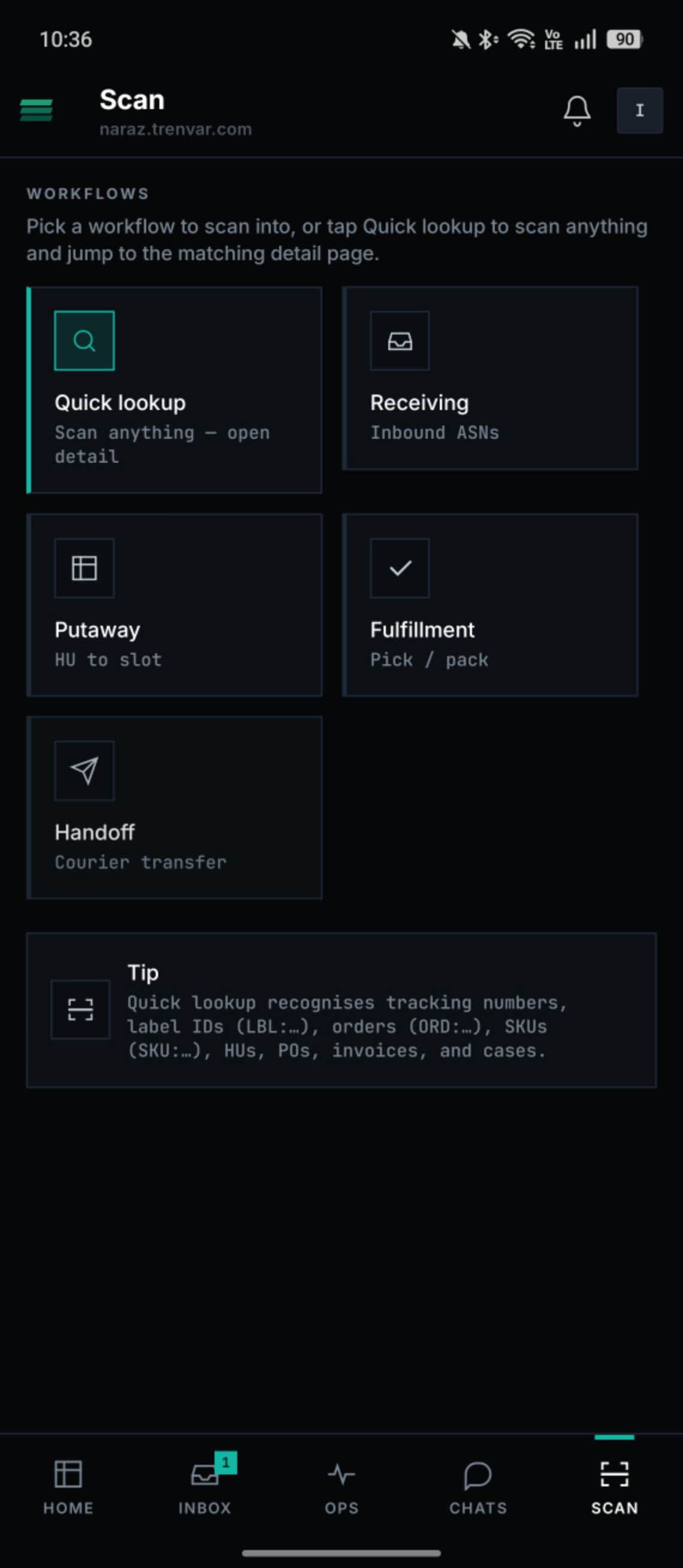
Scan into the right workflow
Quick lookup, receiving, putaway, fulfillment, handoff — one tap to the right context.
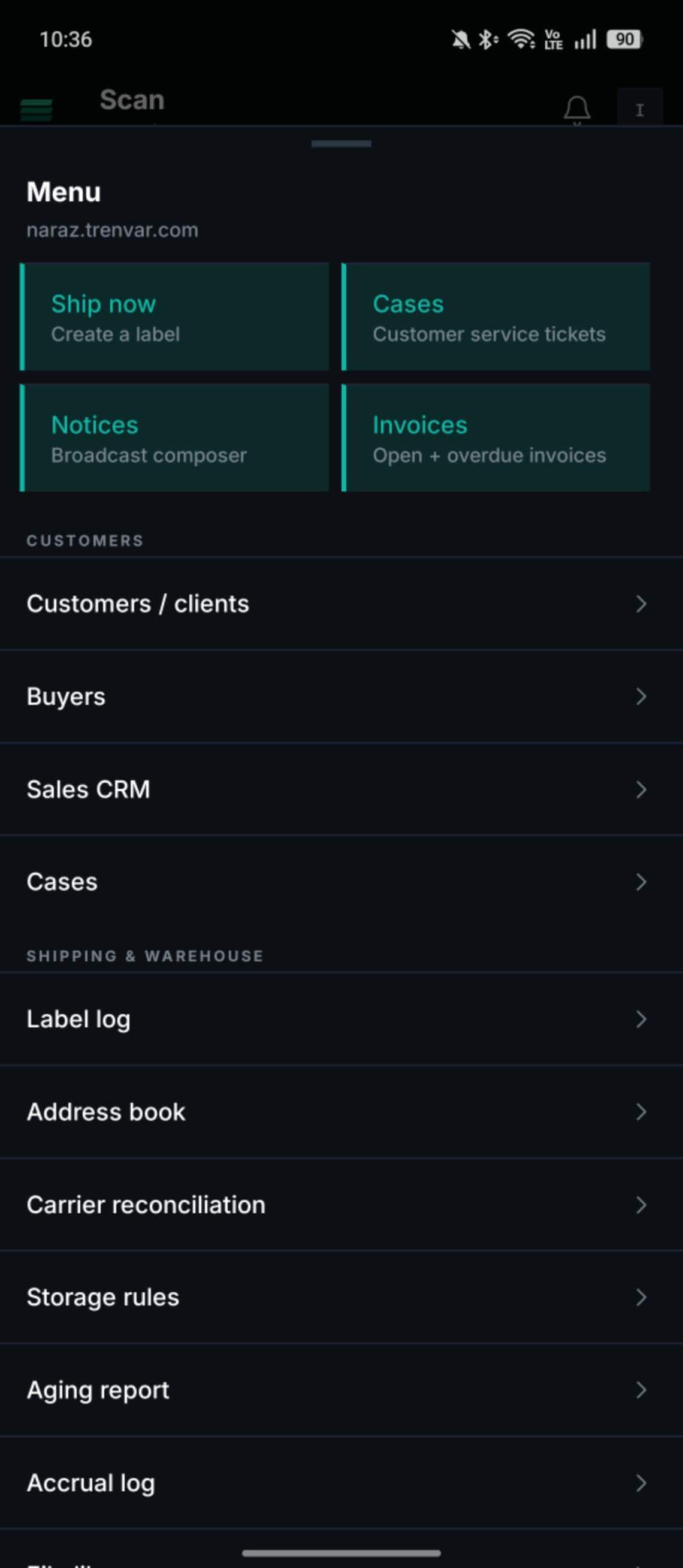
The whole platform, one drawer
Customers, sales, cases, billing, carrier reconciliation — everything you'd open the web console for.
Trenvar Admin
v1.6.1Run your operation from your phone
Approvals, oversight, and billing — designed for moments when the desk is not where the problem is.
No credit card required · Go live in under 48 hours